Browserless Alternative for PDFs: EU Hosting and HIPAA Mode
Updated by Cyril Nicodème
PDFShift renders your HTML at OVH in France and doesn't keep the PDF unless you ask it to. If your Browserless PDFs are invoices or patient letters, that's the part you care about. Browserless's own trust page says its customer data is primarily stored in the United States.
Where the data goes on each
PDFShift is a French company, and we've run it since 2018. Every request renders on servers managed by OVH in Gravelines and Strasbourg, France. The PDF comes back in the response and we don't keep a copy, unless you ask us to. With filename or webhook, the file sits in AWS S3 in Paris for up to two days, then it's deleted. With s3_destination, it goes to your own bucket. One thing leaves France: error reports go to Sentry, and they can carry an IP address or request metadata. We don't send your HTML or the PDF to Sentry on purpose. Our subprocessor list has the details, and our Data Processing Agreement is part of our terms.
Browserless lets you pick where the browser runs: San Francisco, London or Amsterdam. Here's the catch. Its trust page says: "Regional endpoints move execution, not storage." Only Amsterdam is in the EU, and on the shared fleet, "data that is stored or forwarded leaves the EU whichever endpoint you connect to: telemetry, request logs, session replays, saved profiles, and crawl results." One way to keep it all in one region is to run its container in your own EU cloud. That puts you back to running Chrome yourself.
filename or webhook (AWS S3, Paris, deleted after 2 days) or s3_destination (your bucket)HIPAA: one field, or an Enterprise contract
In PDFShift, HIPAA mode is a field in the request. Add is_hipaa: true and use our Business Associate Agreement. We then don't store the document at all. So if you also set filename or webhook, you need your own bucket in s3_destination.
# PDFShift API v3 (docs.pdfshift.io), November 2026
curl https://api.pdfshift.io/v3/convert/pdf \
  -H "X-API-Key: $PDFSHIFT_API_KEY" \
  -H "Content-Type: application/json" \
  -d '{"source": "<html><body><h1>Letter</h1></body></html>", "is_hipaa": true}' \
  -o letter.pdf
Browserless supports HIPAA-compatible deployments on its Enterprise plans and signs a Business Associate Agreement for them.
Moving a /pdf call or a page.pdf() script
Browserless's /pdf endpoint takes Puppeteer's PDF options, so most fields carry over. format, landscape and margin keep their names. Here's what changes:
| PDFShift | Browserless /pdf |
|---|---|
X-API-Key header | ?token= query parameter |
source: a URL or HTML | url or html |
pages | options.pageRanges |
zoom, 0.1 to 2 | options.scale |
header and footer, with {{page}} and {{total}} | headerTemplate and footerTemplate, with the pageNumber and totalPages classes |
delay, up to 10 seconds | waitForTimeout |
wait_for: the name of a function on your page that returns true when it's ready | waitForFunction: a function sent as a string |
If your page has print CSS, add use_print: true. Chrome's page.pdf() prints with it, and PDFShift uses the page's general stylesheet unless you set it. If you connect() to Browserless and call page.pdf(), the same fields apply, and the session code goes away: one POST replaces the connect, the new page, the PDF call and the close.
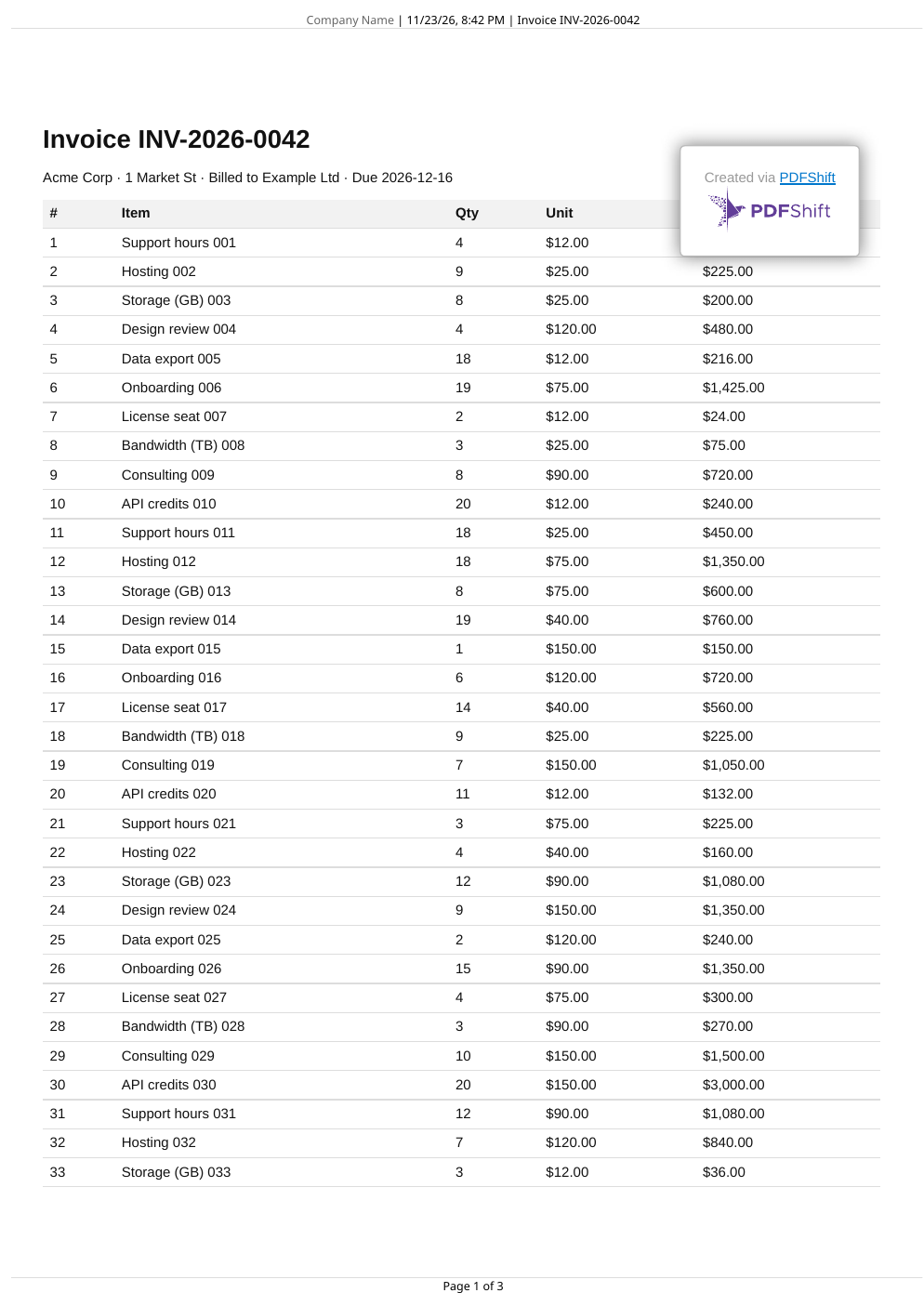
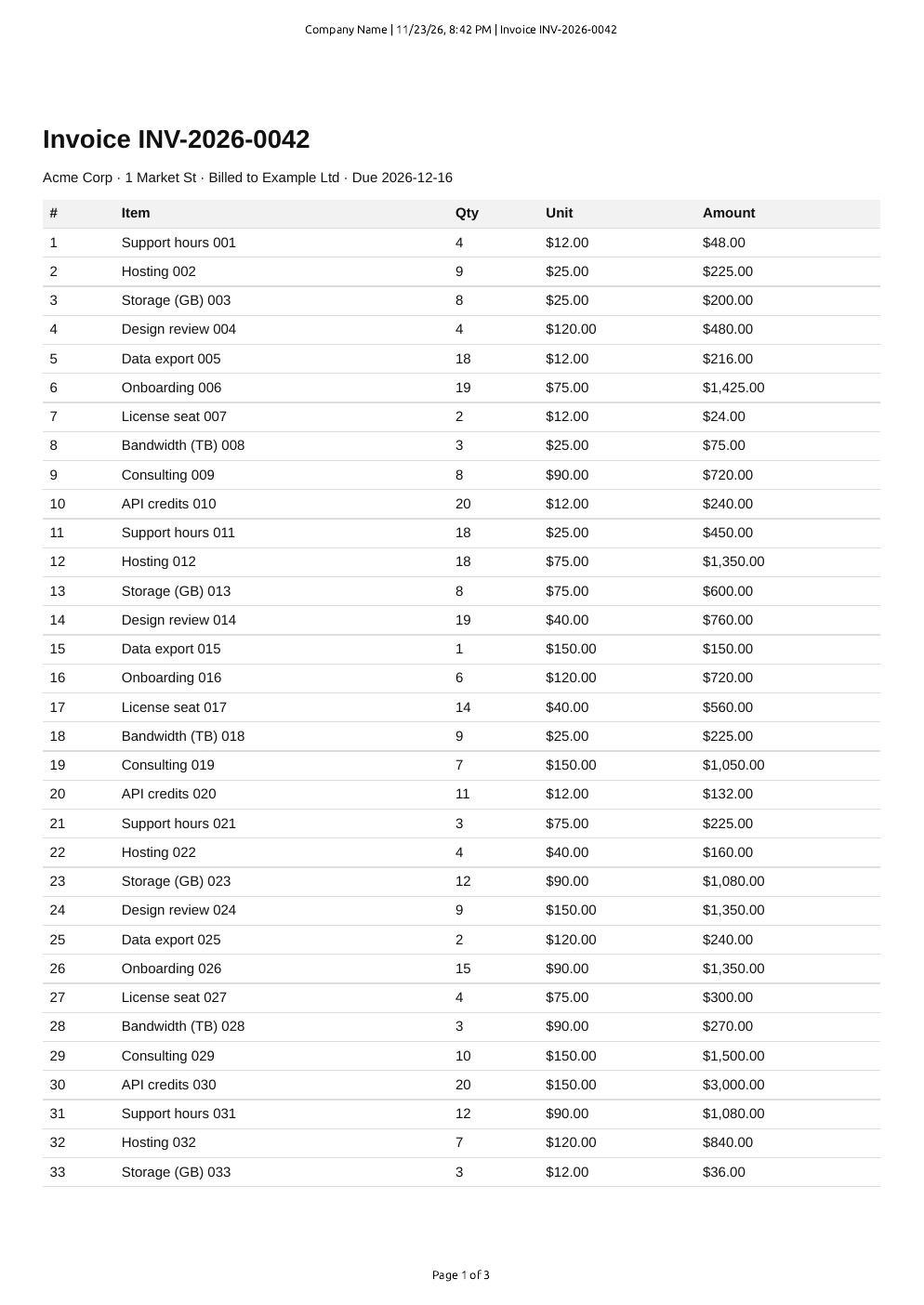
We sent the same 75-row invoice through Browserless's /pdf and through PDFShift on November 23, 2026. Both came back as the same 3 pages, with the same header and the same page-number footer. Only the request differed. For Browserless we set page margins of 100 px at the top and 80 px at the bottom. For PDFShift we set top and bottom margins of 0 and gave the header a height of 100px and the footer 80px.
Plans and prices
| Plan | Price a month | What you get |
|---|---|---|
| PDFShift Free | $0 | 50 credits, no card |
| PDFShift paid plans | $9 to $999 | 500 to 1,000,000 credits. One credit per PDF up to 5 MB, every feature on every paid plan |
| Browserless Free | $0 | 1,000 units, 2 browsers at once, 2-minute sessions, no card |
| Browserless Prototyping | $35, or $25 billed yearly | 20,000 units, 5 browsers at once |
| Browserless Starter | $200, or $140 billed yearly | 180,000 units, 30 browsers at once |
| Browserless Scale | $500, or $350 billed yearly | 500,000 units, 80 browsers at once |
A Browserless unit is 30 seconds of browser time, rounded up, so a /pdf call under 30 seconds costs one unit and a 31-second one costs two. Browserless's browser counts are for monthly billing, and yearly billing raises them. On PDFShift, you can run up to 50 conversions in parallel on every plan, each one delivered to your webhook. Our pricing page lists every plan.
Other Browserless alternatives, by job
If you use Browserless for scraping, AI agents or stealth browsing, the alternatives are other hosted browsers, such as Browserbase, Steel, Kernel, Browser Use, Scrapfly or TinyFish.
For PDFs, people weigh hosted APIs like DocRaptor, PDFMonkey and Api2Pdf, Cloudflare Browser Run, an engine like Prince, and running Chrome themselves with Puppeteer or Playwright or Gotenberg.
Frequently asked questions
Is Browserless open source?
Its code is released under SSPL-1.0 or a commercial license. Browserless's README says that if you use it in a closed-source commercial product, you need the commercial license.
Does Browserless /pdf support password-protected PDFs?
Its /pdf docs don't mention passwords for the output (November 2026). In PDFShift, the protection parameter sets a user and an owner password and can block printing, copying or changes.
Moved from Browserless to PDFShift and the PDF looks different?
Send us the HTML and we'll look.