HTML to PDF in C#: getting Chromium into your .NET deploy
Updated by Cyril Nicodème
You add PuppeteerSharp to your project, a 17 MB package, and the build passes. Then a fresh container starts and downloads 564 MB of Chrome before it can print a page. In C#, the NuGet package is never the browser. Either put Chromium in your image when you build it, or skip it and send one HttpClient POST to PDFShift.
When does PuppeteerSharp download Chrome?
When your code calls DownloadAsync(). That's usually at startup, so it runs on every machine and every fresh container your app starts on. The call fetched Chrome for Testing and its headless shell, 564 MB, into the folder you set as CacheDir. It took 7.4 seconds on our connection, and the first launch took another 2.1 seconds. Point CacheDir at a folder inside your image and run the download while you build it, and the call at startup finds the browser and skips the download.
Here's the code we ran on .NET 10 with PuppeteerSharp 25.15.0, reusing one open browser for every PDF:
using PuppeteerSharp;
using PuppeteerSharp.Media;

var fetcher = new BrowserFetcher { CacheDir = "/app/chrome" };
var installed = await fetcher.DownloadAsync(); // returns at once when the folder already has Chrome

await using var browser = await Puppeteer.LaunchAsync(new LaunchOptions
{
    Headless = true,
    ExecutablePath = installed.GetExecutablePath()
});

async Task<byte[]> RenderPdf(string html)
{
    await using var page = await browser.NewPageAsync();
    await page.SetContentAsync(html);
    return await page.PdfDataAsync(new PdfOptions
    {
        Format = PaperFormat.A4,
        PrintBackground = true,
        PreferCSSPageSize = true
    });
}
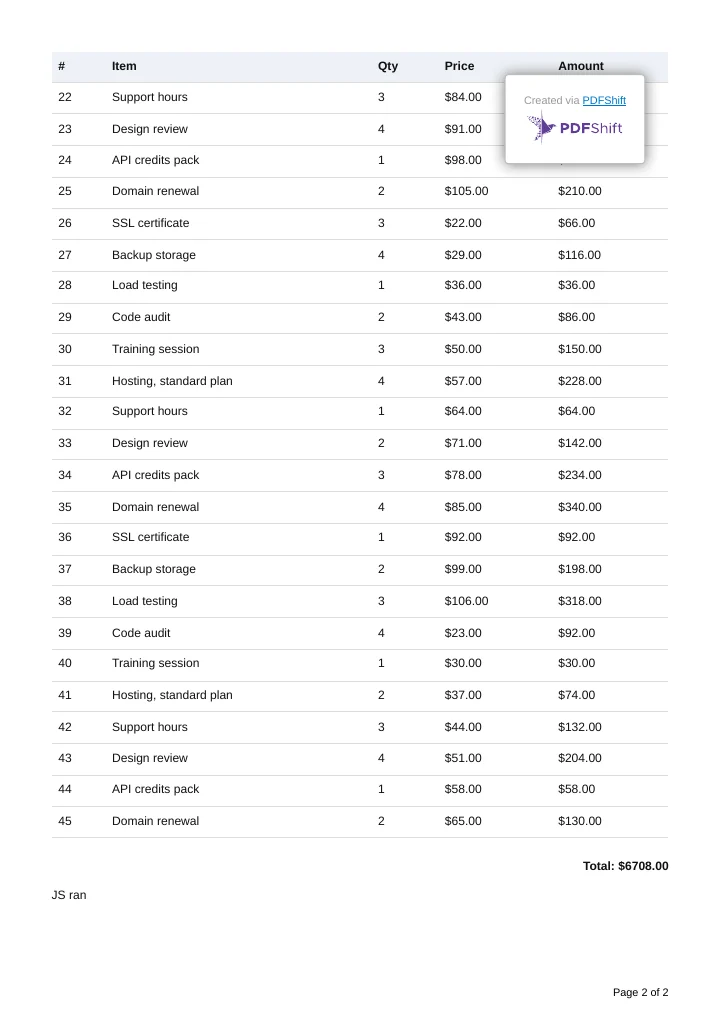
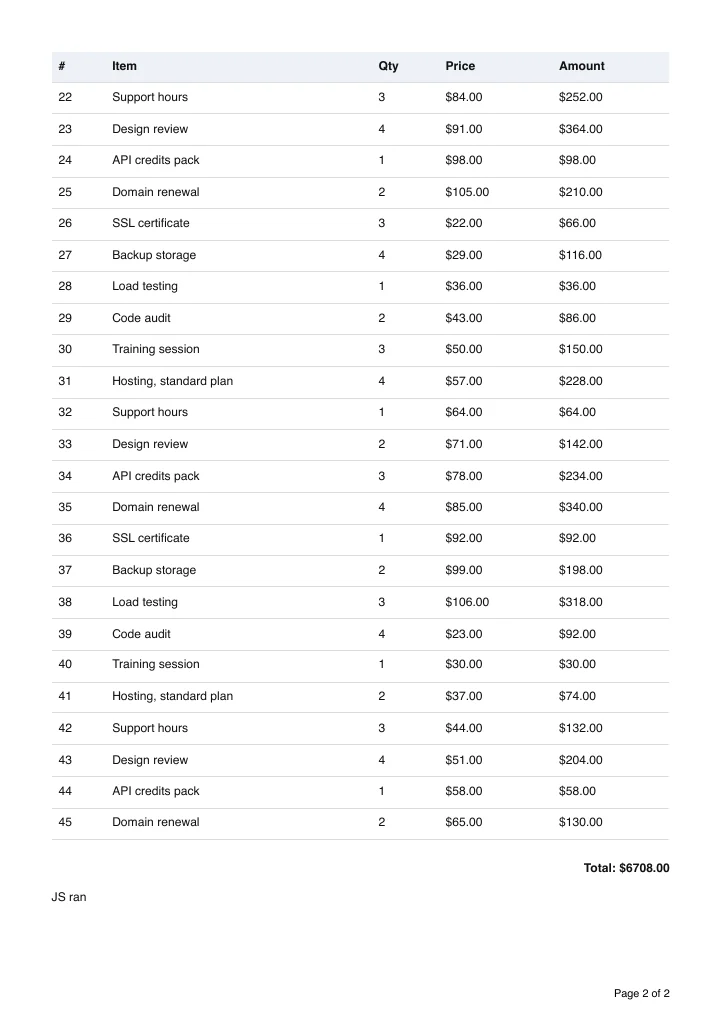
Our 45-row invoice came out as 2 A4 pages, with "Page 1 of 2" from its @page rule and the table header repeated on page 2. Each PDF took about 1.1 seconds with the browser already open. If you copy an older snippet that waits for networkidle0 inside SetContentAsync, 25.15 flags it as obsolete at build time. For memory growth, crashes and containers, see our Puppeteer production guide: its code is Node, but it's the same browser.
How do you convert HTML to PDF in C# with Playwright?
Playwright for .NET (1.64.1) is a 204 MB download from NuGet. Most of it is Node.js, one build for each operating system: the .NET library drives a Node.js process, which drives the browser. dotnet publish for linux-x64 keeps only the Linux build, so your published app is 136 MB, 121 MB of it Node.js. The browsers come in a separate step: Microsoft.Playwright.Program.Main(new[] { "install", "chromium" }) from code, or the playwright.ps1 install script in your image build. On our Mac that step downloaded 572 MB.
using Microsoft.Playwright;

Microsoft.Playwright.Program.Main(new[] { "install", "chromium" }); // or run playwright.ps1 install in your image build

using var playwright = await Playwright.CreateAsync();
await using var browser = await playwright.Chromium.LaunchAsync();

var page = await browser.NewPageAsync();
await page.SetContentAsync(html);
var pdf = await page.PdfAsync(new PagePdfOptions
{
    Format = "A4",
    PrintBackground = true,
    PreferCSSPageSize = true
});
await page.CloseAsync();
Don't skip the options. Without Format, Playwright prints on Letter paper, and without PreferCSSPageSize it scales your content to fit the paper instead of using your @page size. With them, it printed the same 2 pages as PuppeteerSharp, in about 0.56 seconds per PDF with the browser open. Our Playwright production guide covers what changes when you run it under load.
Can you still use DinkToPdf on .NET 10?
No, not out of the box. Here's what the README's basic example threw on its first call:
System.DllNotFoundException: Unable to load shared library 'libwkhtmltox' or one of its dependencies.
DinkToPdf 1.0.8 is a 240 KB wrapper with no native library inside. Its README tells you to copy the wkhtmltopdf library into your project yourself, a different file for each operating system. It has over 33 million downloads, and its last release was in April 2018. wkhtmltopdf itself is archived, and its own status page says not to use it with any untrusted HTML. If it's in your app today, replace it with either route above or the HttpClient call below.
How do you convert HTML or a URL to PDF in C# with HttpClient?
On this route the browser is our problem. Send the HTML to PDFShift and get the PDF back. HttpClient and System.Net.Http.Json ship with .NET, so there's no package to add and nothing to install in your image:
using System.Net.Http.Json;

var http = new HttpClient(); // create it once and reuse it, or get it from IHttpClientFactory
http.DefaultRequestHeaders.Add("X-API-Key", Environment.GetEnvironmentVariable("PDFSHIFT_API_KEY"));

var response = await http.PostAsJsonAsync("https://api.pdfshift.io/v3/convert/pdf", new
{
    source = html, // an HTML string, or a URL like "https://example.com/invoice/1042"
    format = "A4",
    use_print = true
});
response.EnsureSuccessStatusCode();
await File.WriteAllBytesAsync("invoice.pdf", await response.Content.ReadAsByteArrayAsync());
source takes either HTML or a web address, and PDFShift works out which. use_print = true renders your page with its print CSS, the same media the browser routes use. We sent the full invoice and got back the same 2 pages, page numbers and repeated header row included, in 1.96 seconds with the network.
Requests without a key work too, watermarked and up to 10 a day. Create a free account for 50 credits a month, no card needed. Every parameter is in the API docs, and our HttpClient guides show the same call with custom headers and footers, S3 uploads and webhooks.
Should you skip HTML and build the PDF with QuestPDF?
The top answer in a busy r/dotnet thread on this question is "Don't do it. It's not worth the hassle." That commenter says the hassle of HTML to PDF outweighs the benefits unless your content is completely open ended, and points to QuestPDF. Another commenter lists Chrome that won't launch in Docker, then fonts missing once it does. Those are deploy problems, not a reason to rewrite your Razor views or HTML templates in C#.
QuestPDF fits documents you don't have as HTML yet. It builds the PDF from C# code with no HTML or CSS engine involved, and its Community License is free for organizations under USD 1 million in annual gross revenue, except publicly traded companies and government bodies. Two more names you'll run into. iText's pdfHTML add-on is licensed under the AGPL. IronPDF is commercial, and its Lite license costs $999 for one developer.
Frequently asked questions
Is there a free HTML to PDF library for C#?
Yes. PuppeteerSharp and Playwright for .NET are both MIT licensed and print modern HTML and CSS through Chromium. HtmlRenderer.PdfSharp is free too, but it supports HTML 4.01 and CSS level 2, so flexbox and grid layouts won't come out right.
How do I convert a .cshtml Razor view to PDF?
Render the view to an HTML string first, then convert that string. For Razor components, ASP.NET Core's HtmlRenderer class (not the HtmlRenderer.PdfSharp package) renders a component to HTML outside of an HTTP request. Pass the string as the source in any of the snippets on this page.
How do I add a watermark to a PDF in C#?
With PDFShift, add a watermark object (text or an image) to the same request that converts your HTML. Our C# watermark guide has the full HttpClient code.
We hope this guide was helpful. If you have any questions or noticed any issues on the code above,
feel free to drop us a line.